ARTISTPRO / THE ONLINE STUDIOExplore artistpro.music ↗
artistpro.music — Create, Record, Mix, Release

APSTUDIO ONLINE / THE BROWSER DAW

Your studio.
Your browser.

Meet apStudio Online. Record a part. Shape an arrangement. Build a mix. A studio full of artistpro sound, ready in your browser.

apStudioONLINE.
IN YOUR ELEMENT.
apStudio Online — The editing workspaceThe editing workspace ↗
APSTUDIO ONLINE / MULTITRACK EDITINGRECORD · EDIT · MIX · CREATE
Browser DAW✳103 plug-in entries✳Virtual instruments✳apProPad✳Your next song

OPEN THE STUDIO. FOLLOW THE IDEA.

From the first part
to the whole picture.

The recording, the arrangement, the console and the sound palette live in one workspace.

Work with clear waveforms and familiar studio controls. Switch views when the job changes. Bring the instruments and processors into the song without leaving the session.

ONE PROJECT. MANY WAYS IN.

Find your flow.

Edit. Mix. Perform.
Choose the view that fits the moment.

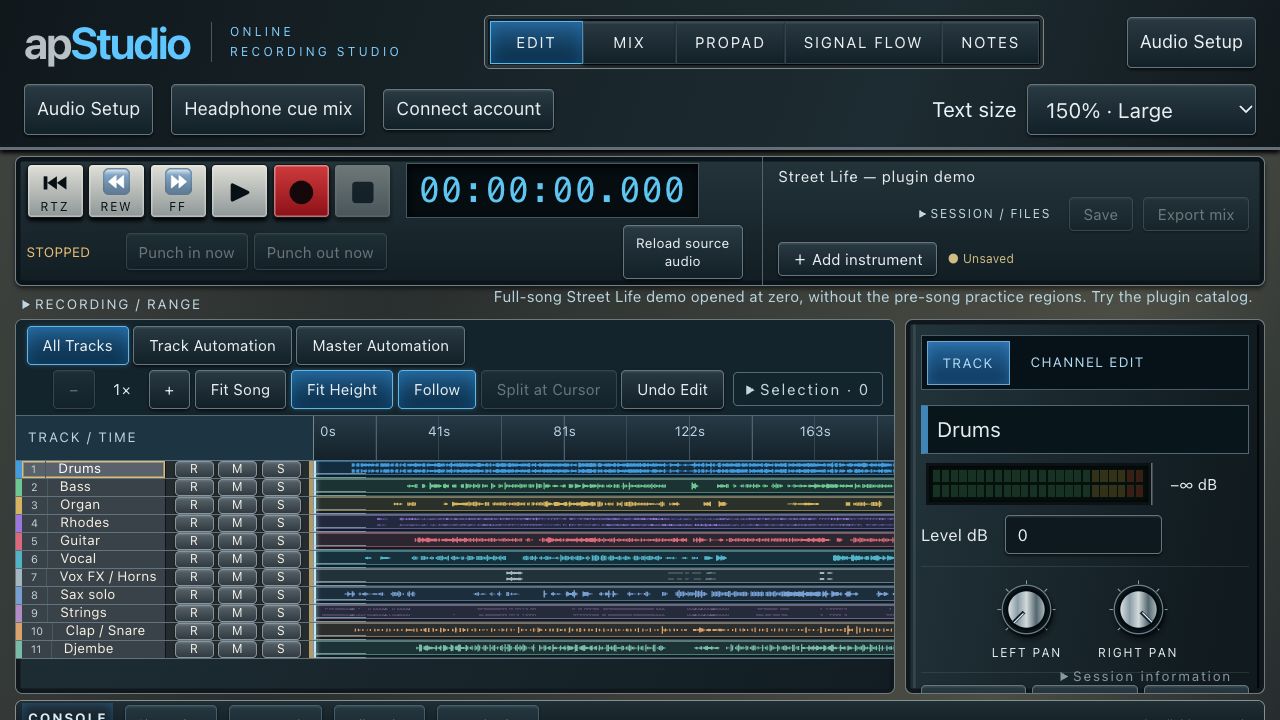
01 / EDIT

Make room for the next idea.

Keep the arrangement in view. Move and trim clips, split at the cursor and shape fades while the waveform shows exactly where you are.

  • Mono and stereo audio tracks
  • Waveform zoom, Fit Song and Fit Height
  • Track and master volume automation
Enlarge this view ↗
apStudio Online editing workspace

A SOUND PALETTE WITH SOME SOUL.

Bring your
own character.

Artistpro processors and instruments.
Inside the browser studio.

apStudio Online — Browse the collectionBrowse the collection ↗

PROCESSORS

Hear it before you buy it.

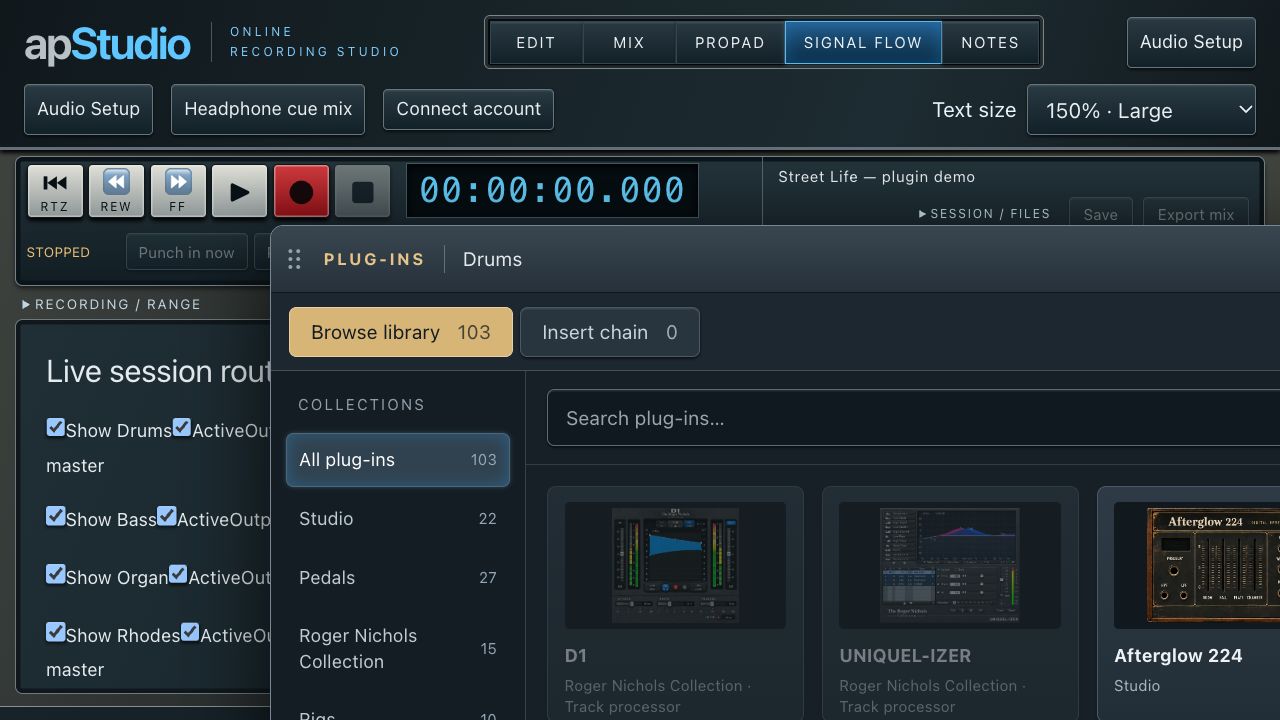
Try artistpro plug-ins on the live Street Life multitrack session. Add a processor, turn the controls and hear what it brings to the track—and to the mix.

Explore studio processors, pedals, rigs, amplifiers, vocal tools and the Roger Nichols and Shabby Road collections. Audition different sounds in a real session before choosing what to buy.

The Street Life demo is for trying plug-ins. Saving and exporting are unavailable in this demo.

Try plug-ins on Street Life ↗
apStudio Online — APX7 FM synthesizerAPX7 FM synthesizer ↗

INSTRUMENTS

Give the idea a voice.

FM keys, samplers, drums, strings and more. Choose a preset, play from the screen or connect a compatible MIDI keyboard, then record an instrument part for the arrangement.

apStudio Online — AP-Range Console controlsAP-Range Console controls ↗

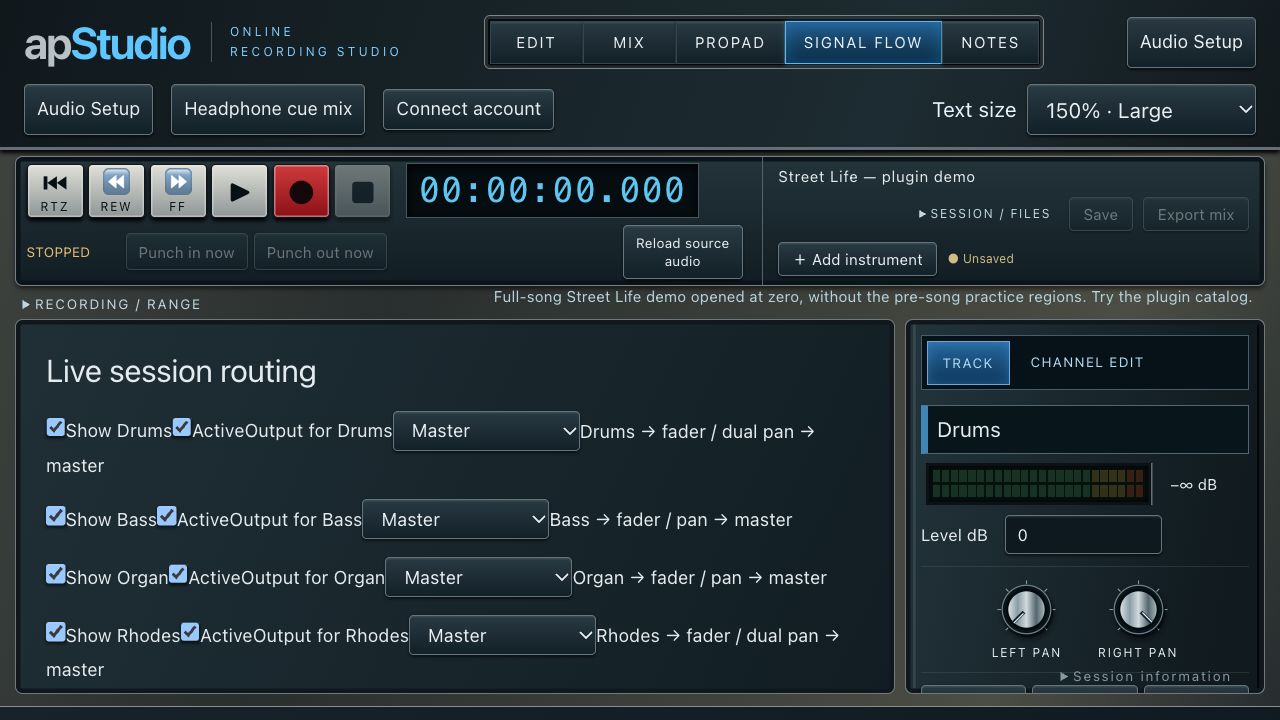
FOLLOW THE SIGNAL.

Character on the channel.
Control in the mix.

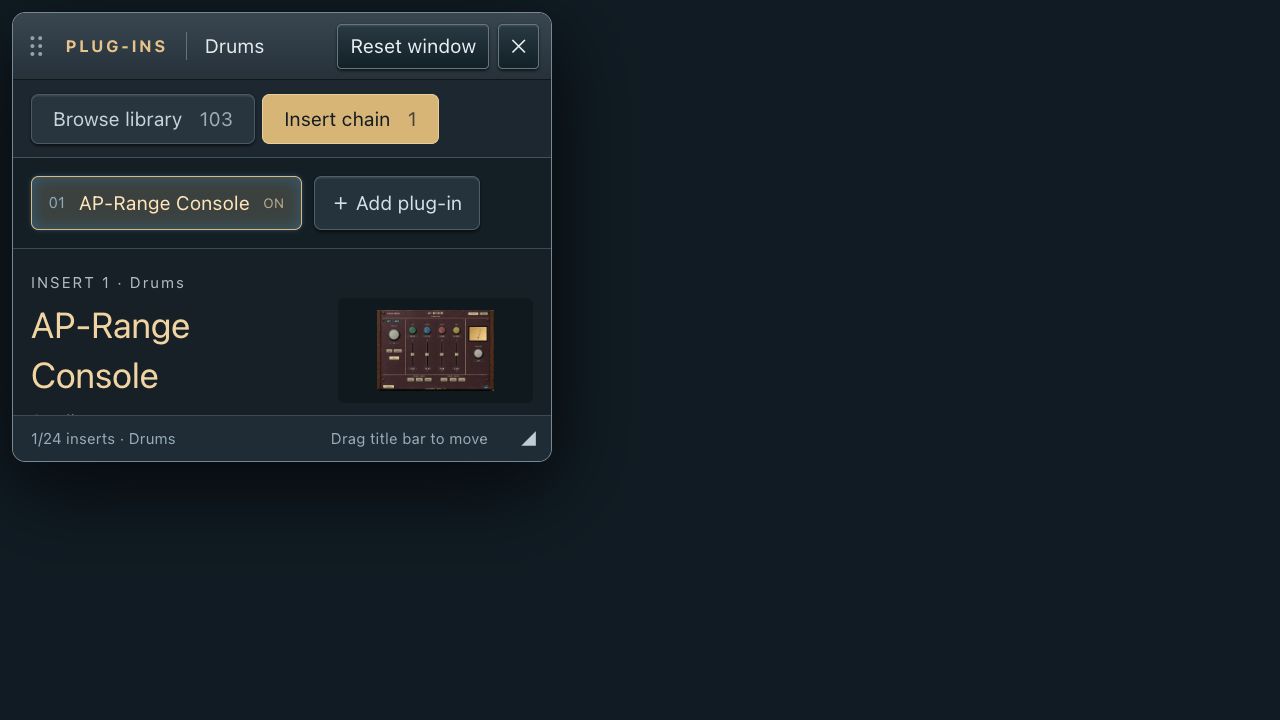
AP-Range Console brings analogue colour, four EQ bands and switchable filters to the insert chain. Combine it with dynamics, reverb and tape processors to build the sound the song needs.

Explore the toolset ↘

THE TOOLS BEHIND THE SONG.

Inside apStudio Online.

Recording to recall.
Sound design to the stereo mix.

01

Recording

Catch an idea while it is still an idea.

  • Mono and stereo tracks
  • Microphone and audio-interface input selection
  • Track arm, mute, solo and input routing
  • Headphone cue mix
  • Punch and loop recording controls
  • Recorded loop takes
02

Audio editing

Keep the performance. Shape the arrangement.

  • Move and trim waveform clips
  • Split at the cursor and delete selections
  • Clip fade-in and fade-out
  • Selection and range controls
  • Undo and redo
  • Timeline zoom, Follow, Fit Song and track-height controls
03

Mixing & automation

Build balance, movement and space.

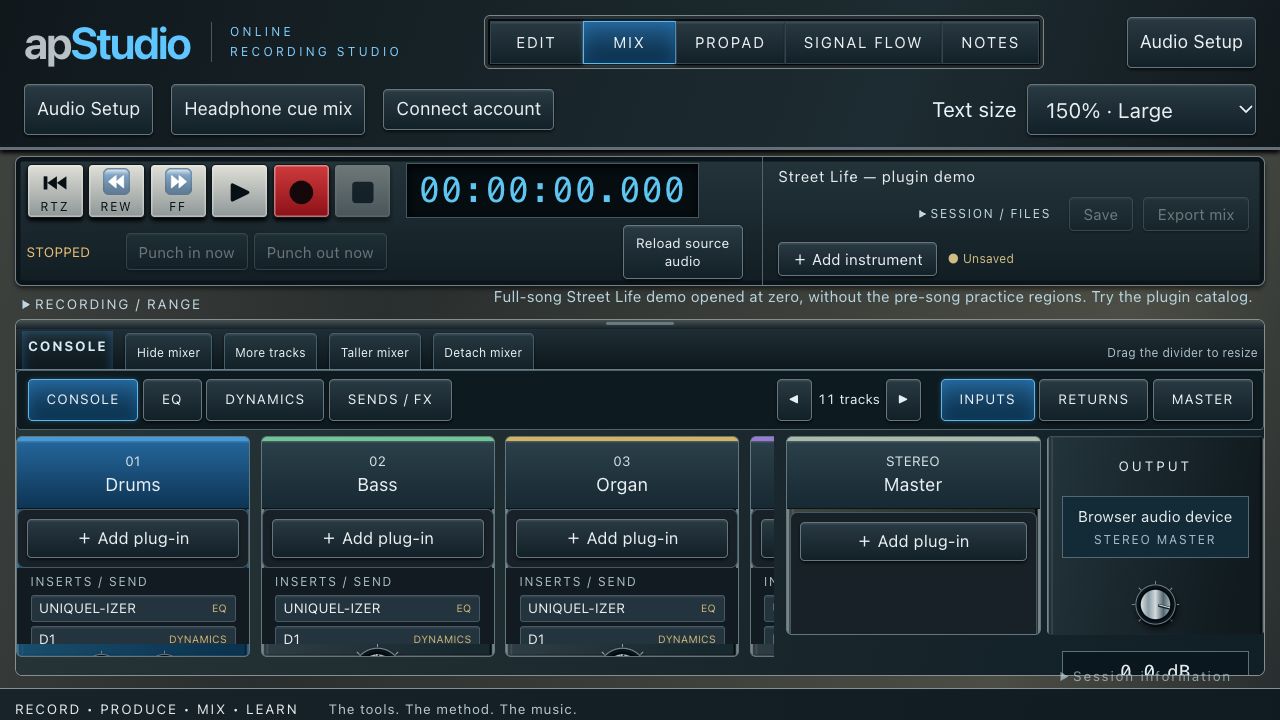
  • Channel faders and mono or dual stereo pan
  • Track and master volume automation
  • Channel EQ and dynamics
  • Effects sends and stereo returns
  • Track and master insert chains
  • Resizable, detachable console with channel banking
04

Plug-ins & character

Keep the artistpro palette inside the session.

  • 103 entries in the plug-in browser
  • Studio, pedals, rigs and amplifier collections
  • Roger Nichols Collection processors
  • Shabby Road Collection processors
  • AP-Range Console and tape processors
  • Search, ordered insert chains and individual bypass
05

Virtual instruments

Move from a sound to a part.

  • APX7 six-operator FM with 32 original presets
  • Memory Bank stereo sampler
  • Simon’s Drums and Mystery Rhythm King
  • The Séance and Hurdy Gurdy
  • Union Strings and Shabby Road Orchestra
  • Electric piano, harpsichord, modular synth and tape keyboard
06

apProPad

Play the project another way.

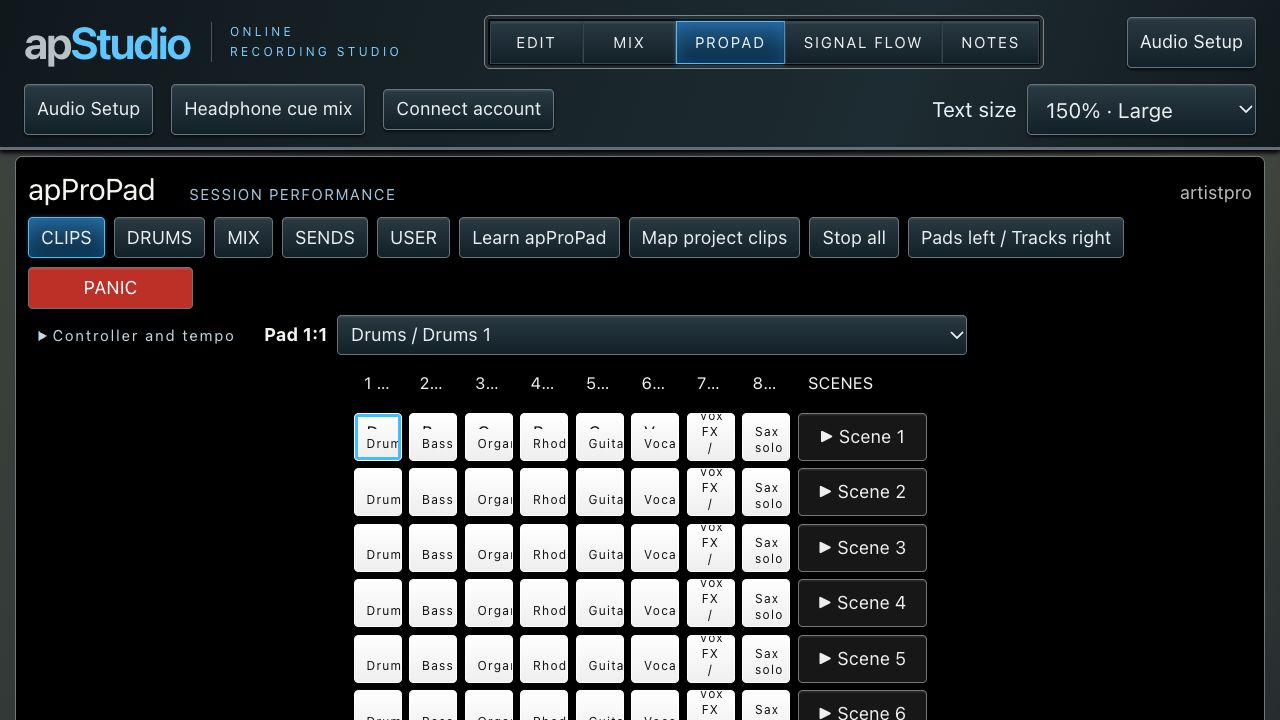
  • 8 × 8 grid and scene launchers
  • Clips, Drums, Mix, Sends and User modes
  • Map existing project clips
  • Eight-track banks and session tempo
  • MIDI learn and generic controller mapping
  • Launchpad legacy and MK2 profiles
07

Sessions & recall

Bring the work back with you.

  • New projects and session templates
  • Open saved and portable session files
  • Save As and downloadable sessions
  • Recovery of current project changes
  • Version history and checkpoints
  • Mix notes linked to positions in the song
08

Delivery & workflow

Take the next step from the session.

  • Processed stereo mix export
  • 16-bit WAV or AIFF
  • 44.1 or 48 kHz export settings
  • Dither and sample-rate conversion
  • Stem and drum separation entry points
  • Connect account for available save and export access

TAKE A CLOSER LOOK.

Your studio,
on screen.

Explore the workspaces and tools.
Select a screen to enlarge.

LEARN INSIDE THE STUDIO.

The Roger Nichols
Recording Method.

Learn the method where you put it to work.

The Roger Nichols Recording Method is taught inside apStudio Online. Educational sessions bring the recording workflow into the DAW, so students work with the tracks, console and tools as they learn.

Connect an enrolled student account to open educational sessions from the Session library.

SET UP. SETTLE IN. MAKE SOMETHING.

A new session.
A fresh possibility.

Open the studio and choose Session library → Street Life — plugin demo to hear artistpro plug-ins in the live multitrack session. Try the controls, compare sounds and find what fits your music before you buy. The demo is for auditioning plug-ins; it does not offer saving or exporting.

For your own work, begin with a blank project and connect your artistpro account for the save, export and session access available to you.

For recording, choose your microphone or audio interface in Audio Setup and allow microphone access. MIDI controller support depends on your browser. Headphones help keep playback out of a microphone recording.
Looking for the native Mac studio? Explore apStudio for macOS ↗

THE TOOLS. THE MUSIC. THE MOMENT.

The next idea
belongs to you.

Open the studio. Make it sound like you.

Open apStudio Online ↗Explore artistpro.music ↗
↑ Back to top